



Tech tools have really streamlined student grading for teachers. If you’re looking for an easy one to use, here is a tutorial on how I save time grading student work with Zip Grade, a FREE app for teachers.

This post contains ads as well as Amazon affiliate links that pay a small commission to this site. These do not cost you anything. Please see my full disclosure here. I am not being paid to promote ZipGrade in any way. No links to ZipGrade in this post are affiliate links.
Is Grading Important?
Before I dig into the nitty-gritty details of Zip Grade, let’s chop down the elephant in the room. I honestly don’t believe that grading students’ tests and assignments will not be leaving our classrooms any time soon.
And if it does, that is obviously a distant date!
So teachers need ideas NOW on how to save time on checking and grading our student center work, tests, quizzes, and other assignments.
That is where ZipGrade comes in!
What is Zip Grade?
ZipGrade is an online grading tool that turns ANY student assignment into a multiple choice format.
The tech tool allows you to scan your students’ work within seconds to grade the assignment quickly, which saves you so much time as a teacher.
You can use ZipGrade for most subject areas and assignments, except essay and paragraph writing.
Book Widgets also ranked Zip Grade as one of the 10 Amazing Grading Apps That Help Teachers Save Time.
I have used Zip Grade several times to help me save time with grading as an elementary school teacher. So let’s dive into the details on this neat time-saver!
How ZipGrade Helps Me Save Teacher Prep Time
When I need to save time grading work, I look for tools that cut down on repetitive tasks without making my classroom routines harder. That’s one reason ZipGrade still works so well. Instead of hand-grading every answer, I can scan student papers with my phone or tablet and get results right away. 🙌
For upper elementary teachers, that time savings adds up fast when we’re grading:
- weekly quizzes
- exit tickets
- vocabulary checks
- reading comprehension practice
- math review pages
- test prep assessments
The biggest win for me is that I’m not just grading faster. I’m also seeing patterns faster. That means I can quickly tell which scholars need reteaching, which questions tripped up the class, and which kiddos are ready to move on.
Related Posts Using Tech Tools in Your Classroom


Click either image to learn more about these free tools for your classroom.
How Do You Save Time Grading Student Work with ZipGrade?
Here are the simple steps on how I save time using ZipGrade:
- Print the scan sheets that ZipGrade provides from their website. These print with 20, 50, or 100 bubbles per page. You can also customize the amount.
- Enter your quiz, test, or assignment into their app.
- Then upload your answer key into the same dashboard.
- Students complete the assignment you’ve uploaded to ZipGrade.
- Once they turn in their answer sheets, use your camera’s smartphone to scan each page, and ZipGrade grades the assignment for you.
Their free plan allows up to 100 scans per month.
This tech tool saves time on grading your students’ work because the scanner collects the student data in seconds and gives you a total instantly.
PLUS, my favorite feature is that it analyzes all the students’ results for each assignment and puts it into a graph or tabulated form.
Cutting My Grading Time in Half!
These pictures below show the scan sheet. Each caption includes a few tips I’ve learned while using this system.


ZipGrade Pros and Cons for Teachers
If your goal is to save time grading student work, overall ZipGrade can be a really helpful tool. But like most classroom tools, it works best in certain situations. Here’s a quick look at the pros and cons so you can decide whether it’s the right fit for your classroom. 😊
| Pros ✅ | Cons ❌ |
|---|---|
Saves time grading work by scanning papers quickly instead of hand-scoring every assessment. | Works best for objective questions and is not a good fit for essays, writing responses, or projects. |
Easy to use with a phone or tablet, so teachers do not need a bulky grading machine. | Setup can take a little time at first when creating classes, quizzes, and answer keys. |
Provides instant results and item analysis, which helps with reteaching and small-group planning. | The free version is limited, so teachers who scan often may need the paid plan. |
Budget-friendly for teachers, especially compared to many other edtech tools. | Students must answer carefully, because stray marks or messy erasures can affect scanning. |
Great for quizzes, exit tickets, and test prep, especially in upper elementary classrooms. | Not every assignment should be turned into a bubble-sheet format, especially if deeper thinking is the goal. |
Helps teachers spot learning trends quickly, making it easier to see which scholars need support. | It may not replace your regular grading system, since you’ll still need other tools for open-ended work. |
Overall, I think ZipGrade is still a smart option for teachers who want to save time grading work and get quick assessment data. It may not replace every grading routine, but it can definitely make quiz grading faster and less stressful during busy weeks.
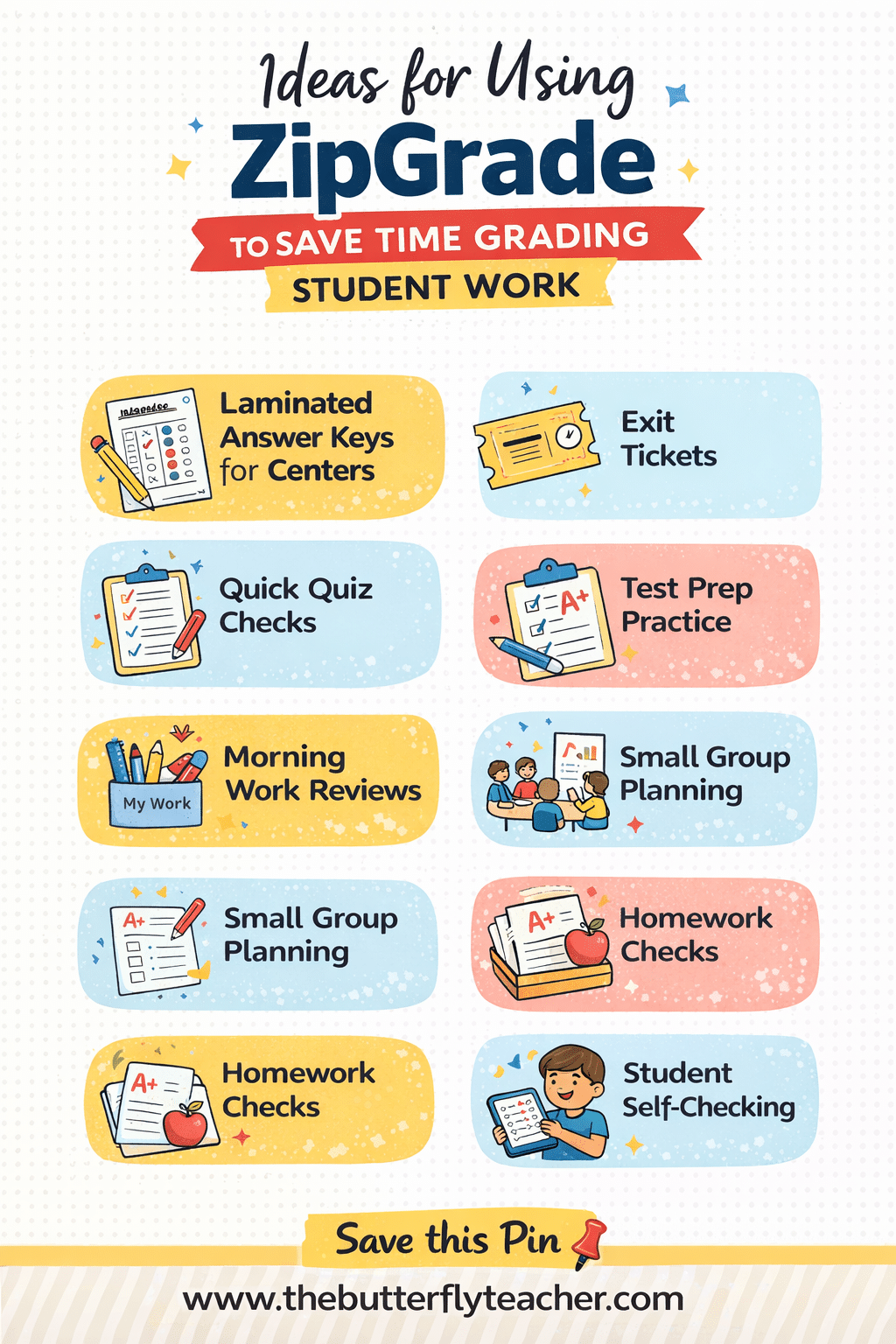
Ideas for Using ZipGrade in your Classroom
In addition to the steps above, here are a couple more hacks I’ve developed while using this grading tool:
- Laminated Answer Keys for Centers: Keep them near your centers for students to scan the answer keys with your class tablets or iPads.
- Exit Tickets: I try to wrap up each lesson with reflection and review. Then I display review questions on our classroom Smartboard. The students answer them on the ZipGrade scan sheets. Then I quickly scan their responses to see how they did.
- Quick Quiz Checks: When I want to check for understanding without spending my whole afternoon grading, I use ZipGrade for short quizzes. This works really well for math review, vocabulary checks, and reading comprehension questions. I can scan the papers quickly and see which students are ready to move on and which ones need a little more support.
- Test Prep Practice: During testing season, ZipGrade makes it so much easier for me to grade practice questions and review assessments. I can give students experience with answering test-style questions, and then I can use the data right away to figure out which standards need reteaching.
- Morning Work Reviews: Sometimes I use ZipGrade sheets for spiral review during morning work. This gives me a quick snapshot of what my students remember from previous lessons without adding another big grading task to my plate. It is a simple way to keep skills fresh and check progress at the same time.
- Small Group Planning: One of my favorite ways to use ZipGrade is for grouping students after a quick assessment. Since I can see results so fast, I can use that information to pull small groups, reteach a skill, or give enrichment to students who are ready for more.
- Homework Checks: I do not use ZipGrade for every homework assignment, but it can be helpful for certain practice pages or review sheets. When I want a fast way to see who understood the skill and who may need extra help, this is an easy option.
- Student Self-Checking: If you have classroom devices available, ZipGrade can also be useful for student self-checking in certain routines. I like this idea for independent practice or centers because it gives students quick feedback and takes some of the grading off my plate. Plus, my kiddos always think scanning their work is fun. 😊
More Downsides of Using ZipGrade
With all these benefits, it may be tempting to label this as a perfect way to save time grading student work. But not so fast. ❌ Unfortunately, everything has it’s ups and downs. As mentioned above in the pros and cons sections, there are things you need to be aware of when using this tech tool.
Here you find specifics on more downside using Zipgrade. You cannot use it for things like grading:
- Essays
- Book Reports
- STEM or STEAM Projects
- Open-Ended Assessments or Assignments
It may also be difficult to use this tool for Kinders and 1st grade students.
Not only are they still building their fine motor skills, which will make bubbling challenging, but they need to complete assignments that are not on scan sheets.
I think it works best for quick, objective assessments, but it is not the tool I’d use for writing, projects, or open-ended work where students need real feedback.
There is also a little setup on the front end, and if students make messy marks or erasures, I may need to double-check a scan or two. For me, ZipGrade is still a great way to save time grading work, but only when I use it for the right kind of task.
Who ZipGrade Is Best For
In my opinion, ZipGrade is especially helpful for teachers who:
- use several printed assessments
- want faster grading without a bulky scanner
- need quick quiz data
- want to save time grading student work each week
- teach multiple subjects and need simple routines
- like seeing item analysis after assessments
Or maybe you are just a busy teacher who needs to find some productivity hacks so you can cut the stress! For upper elementary classrooms, that can be a huge help during test prep season or during those weeks when the stack of papers starts growing way too fast. 😅
Frequently Asked Questions about ZipGrade for Teachers
Is ZipGrade free?
ZipGrade offers a free version with limited scans each month. You get up to 100 scans on the free plan. Teachers who need more frequent grading can upgrade to a low-cost paid plan for unlimited use.
How do teachers use ZipGrade?
Teachers use ZipGrade by creating an answer key, having students complete an answer sheet, and then scanning those papers with a phone or tablet. The app scores the papers and shows results almost immediately.
Can ZipGrade grade more than multiple-choice questions?
Yes, ZipGrade can handle more than simple multiple-choice in some cases, but it still works best for objective-style questions. It is not meant for essays, open-ended writing, or project-based work.
Does ZipGrade actually save time grading work?
For many teachers, especially those with several multiple-choice assignments to grade, the answer is a definite yes. ZipGrade can cut grading time significantly because it removes the need to hand-score every paper and it helps teachers review class data right away.
Is ZipGrade good for elementary teachers?
ZipGrade can work very well for elementary teachers, especially in upper elementary grades where students are taking more quizzes, test-prep assessments, and standards-based checks.
Can ZipGrade be used for test prep?
Yes, many teachers use ZipGrade for test prep because it makes it easy to grade practice assessments quickly and identify which skills need reteaching.
What are the disadvantages of ZipGrade?
The biggest downside is that ZipGrade is mainly designed for objective assessments. It is helpful for quick grading, but it does not replace teacher feedback on writing, discussion, or complex problem-solving.
General Ways to Save Time on Grading Student Assignments
Since ZipGrade cannot be used on everything, it helps to also have some general hacks for saving time on grading student work.
This video outlines more ways you can save time grading student work.
More Resources to Help You Save Time on Grading
Do you feel efficient when it comes to grading your students’ work? If not, here are more resources for you:
- Work Request Notes for Teachers, TA’s, Parapros, and Classroom Volunteers
- Student Feedback Notes to Print on Sticky Notes

4 Responses
Hi Tanya,
With zip grade do you have to type in each question online before students complete the bubbles ??
Hi Pina!!
No, you actually do not have to type in ANY questions online before students complete the bubbles. You can use your existing quiz/test sheet. If it already comes with a completed answer key in your teacher edition, you can just scan that answer key with your phone to upload the answers to ZipGrade.
Print out your bubble sheet and let your students complete the quiz. Then scan each bubble sheet from your students. ZipGrade will do the rest.
Hope that helps 🙂
My greatest challenge is not falling behind on grading and getting papers graded, entered in the computer, and returned to students in an efficient manner.
Annie,
I completely understand! I started a routine with grading and entering the grades on a computer. It was like an assembly line routine. But in order to do this consistently, I had to close my classroom door and pull the blinds over my door window so that other teachers wouldn’t interrupt my grading process. It really helped me grade efficiently. I hope this tip helps! Thanks Annie. 🙂